I Revamped My Home Assistant. Now It Tells Me When to Take an Umbrella.

I've run Home Assistant in my flat for a year now. It tracks electricity use, switches lights and plugs, keeps an eye on my 3D printer, and pulls in weather, petrol prices, trains and buses. It all worked. But it was a pile of switches, not a home. Every useful thing still started with me opening the app and tapping something.
So I asked a different question: what should it do for me without me touching it? I rent, so everything runs on smart plugs and a Raspberry Pi rather than anything installed in the walls. Here's what changed.
One page that plans my day
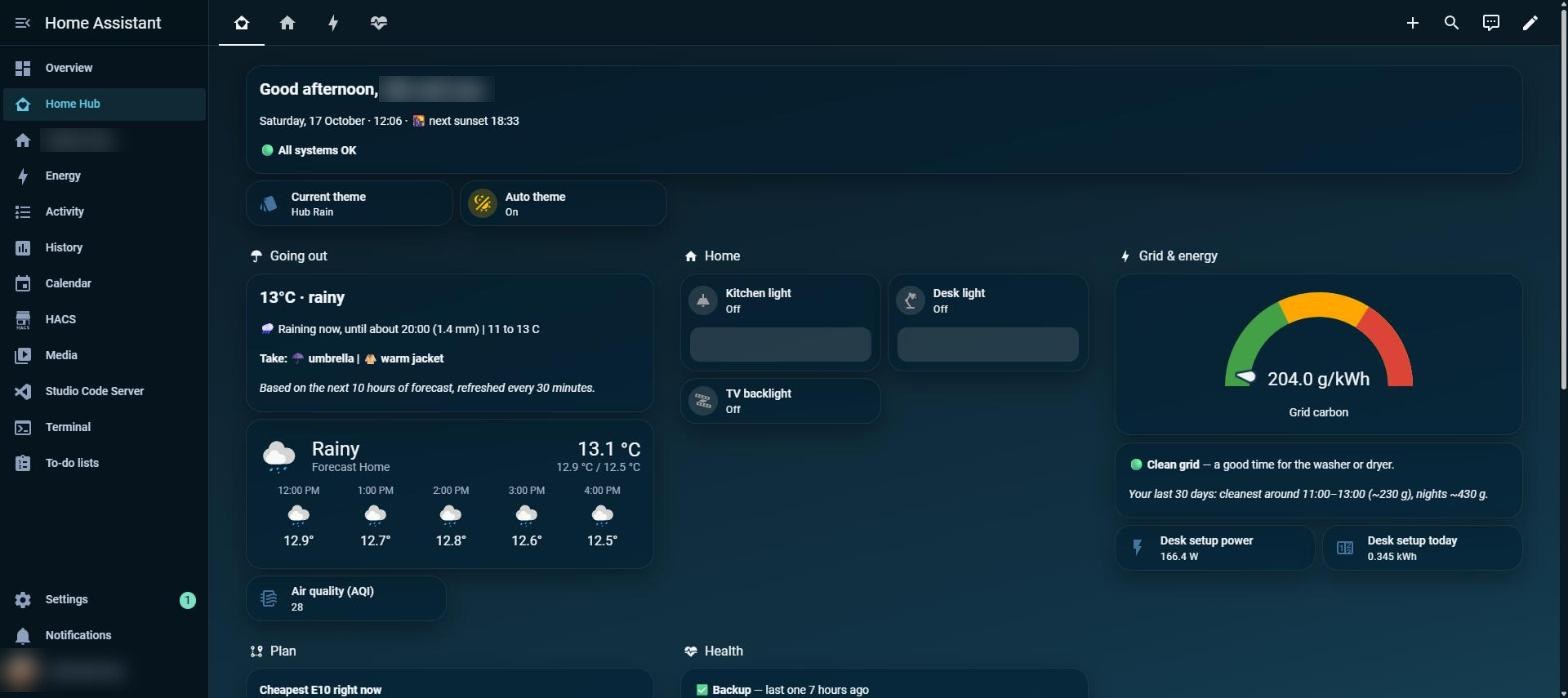
Dynamic front page
The Today view answers the questions I actually ask in the morning. What's the weather doing? What should I take with me? Is the grid clean right now, so I can run the washer? The theme even follows the weather and the time of day, so the page looks different when it rains than when it's sunny.
The "going out" card doesn't just read the sky. Every 30 minutes it looks at the next ten hours of forecast and tells me things like rain until 20:00, take an umbrella and a warm jacket. That one card is the reason for the title of this post.
Trains and buses, with where they're going
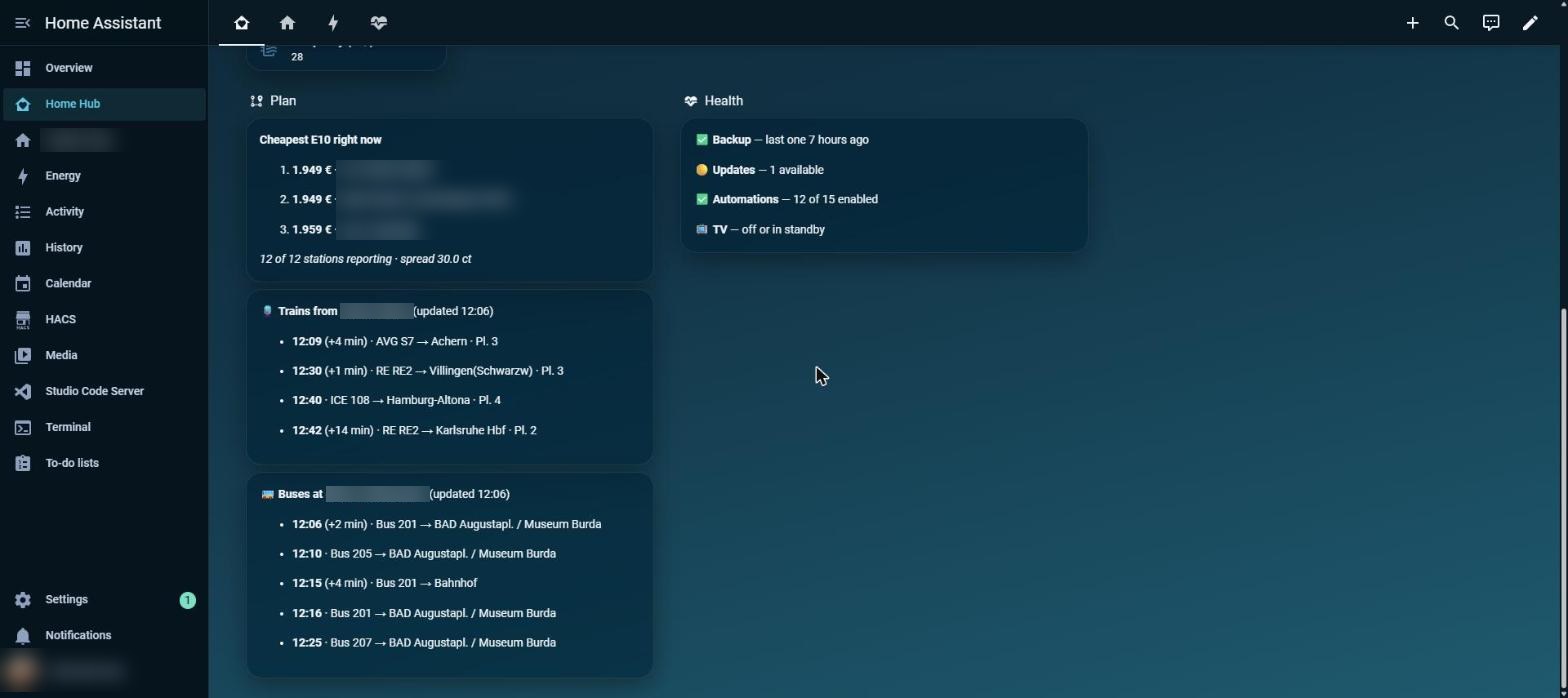
Cheapest petrol nearby, next trains and next buses. Home stops and stations blurred.
I used to see a bare departure time like "00:33" and nothing else. Now every row shows the line, the destination, the platform and any delay, sorted by the real departure time. A train that's 14 minutes late slides down the list to where it actually belongs.
One lesson from building this: the free departures service started throttling my first setup (HTTP 429, "too many requests"). Asking for less data in a lighter request fixed it. If you lean on a free API, being gentle with it is part of the design.
Automations that notice what I do
No buttons, just watching power draw:
- Desk light. When my desk setup draws more than 90 W for 30 seconds after dark, the lamp comes on. When the PC goes to standby, it goes off two minutes later.
- TV backlight. A smart plug on the TV tells me it's on (60 to 100 W) versus standby (about 8 W). That's more reliable than asking the TV itself.
- Night saver. Between 22:00 and 07:00, once the desk setup is asleep, the plug cuts the power. During the day it never does.
Power draw works well as a signal because it needs no extra hardware and no cloud. The plug already knows whether something is really in use.
Alerts where I actually look
I built one script, notify_me, and every alert goes through it. It posts to a Discord channel on my phone and leaves a note in Home Assistant. For anything that matters, an Echo in the flat announces it too. With a single script, changing where alerts go means editing one place, not every automation.
The first alert I wired up is a watchdog: if my other Raspberry Pi stops answering for three minutes, I hear about it. It runs from Home Assistant, so it still works when the thing it watches is the thing that died.
Keeping an eye on the system
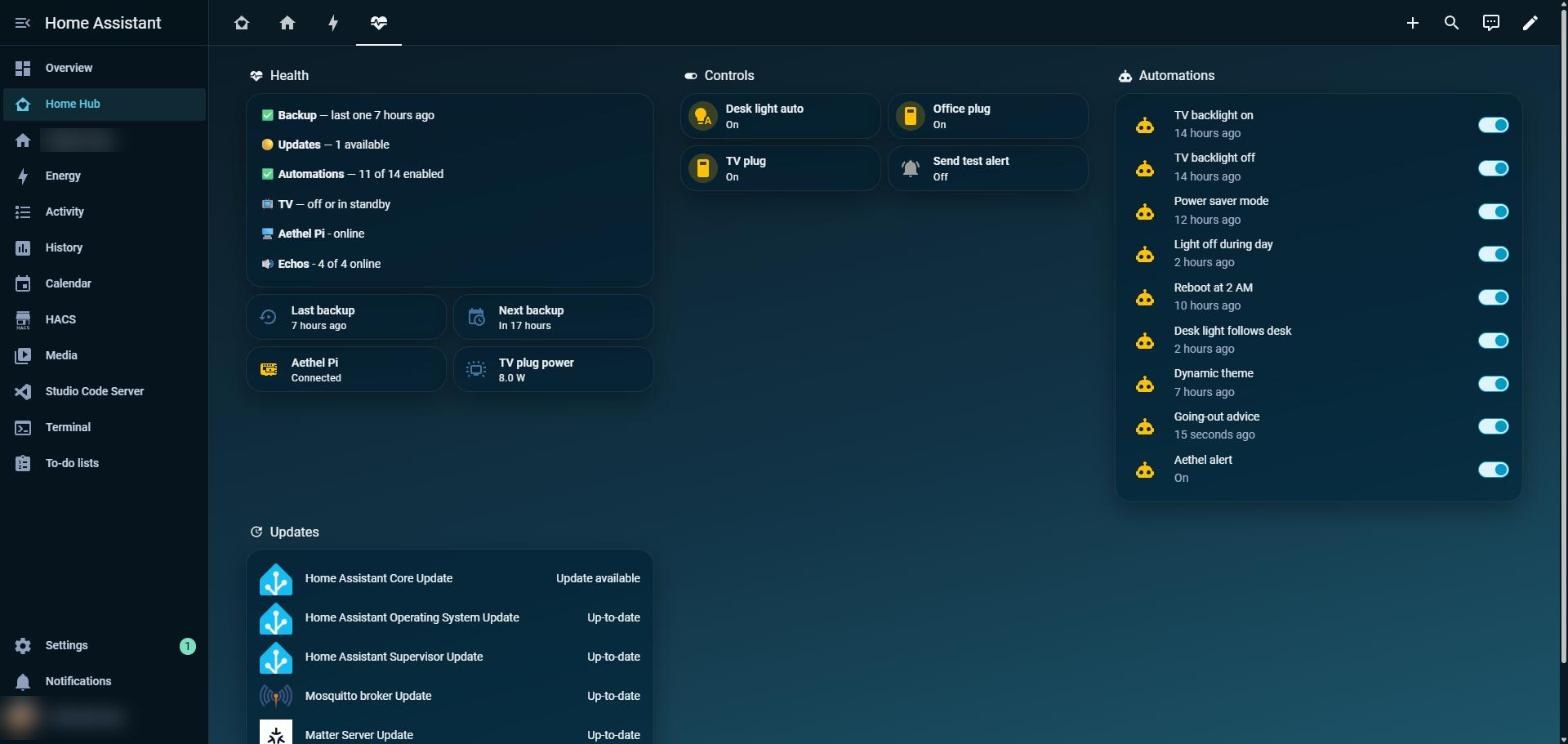
The System view: health, a few manual controls, and every automation with its last run.
If the automations are going to run my flat, I need to see at a glance that they're alive. The System view shows backups, pending updates, how many automations are enabled, whether the other Pi and the Echos are online, and when each automation last ran.
Energy, and a bug worth catching
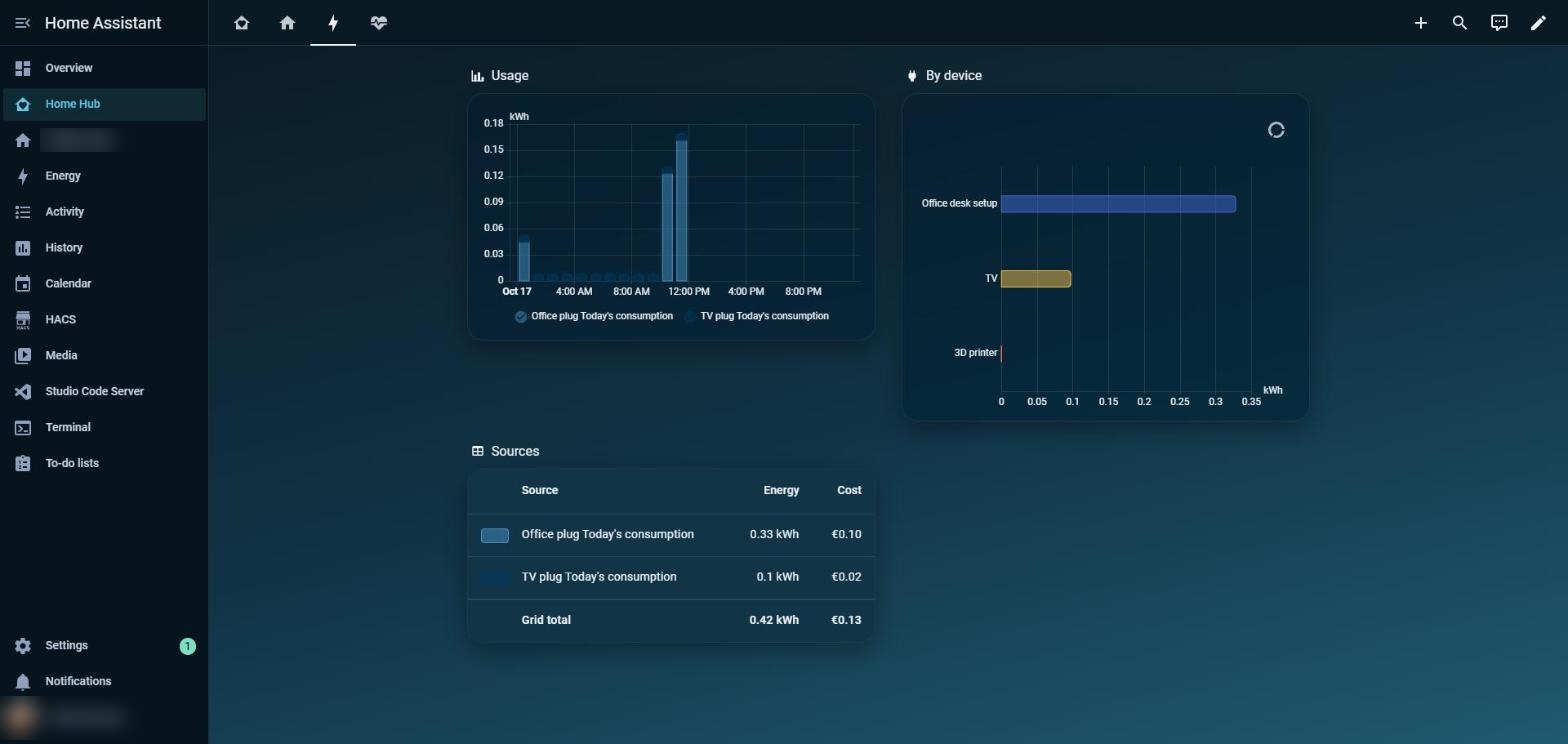
Dashboards are only useful if you can trust the numbers, and this one almost failed that test. After I renamed a plug, the Energy page showed the TV using minus 1.57 kWh. Renaming had confused the statistics. I corrected that one bad hour, and it's honest again.
What's next
Temperature and humidity sensors are on their way, so the bathroom gets a mould watch. After that: a presence sensor so the kitchen light turns on when I walk in, and a wall display for the old tablet. Then I am thinking of implementing alert on going out I am just not sure what sensors I should include to achieve it. A camera is too much work. A door sensor can trigger at any door open and close. Phone detection via wifi is already too late I am out of the house. Have you had this problem how did you solve this? Comment below.
The goal hasn't changed. A calm home that runs itself, tells me when something needs me, and moves with me to the next place.
If you want to see how any of these automations work, or want help setting up a dashboard like this, reach out below. Happy to help.
Enjoyed this one? Get the next post by email — no spam, unsubscribe anytime.
Subscribe →